
Problem: Moxie not connecting to Open Moxie. For me this happens because my computer’s IP address changes, and the new address needs to be updated in the Open Moxie interface. This happens quite frequently for me.
Step 1: Find your computers IP address. For Apple follow these steps:
Find your MacBook’s IP address by using this pathway:
Apple menu top left > System Settings > Network > Wi-Fi > Details > Scroll down to IP address
For Windows follow these steps to find your computers IP address:
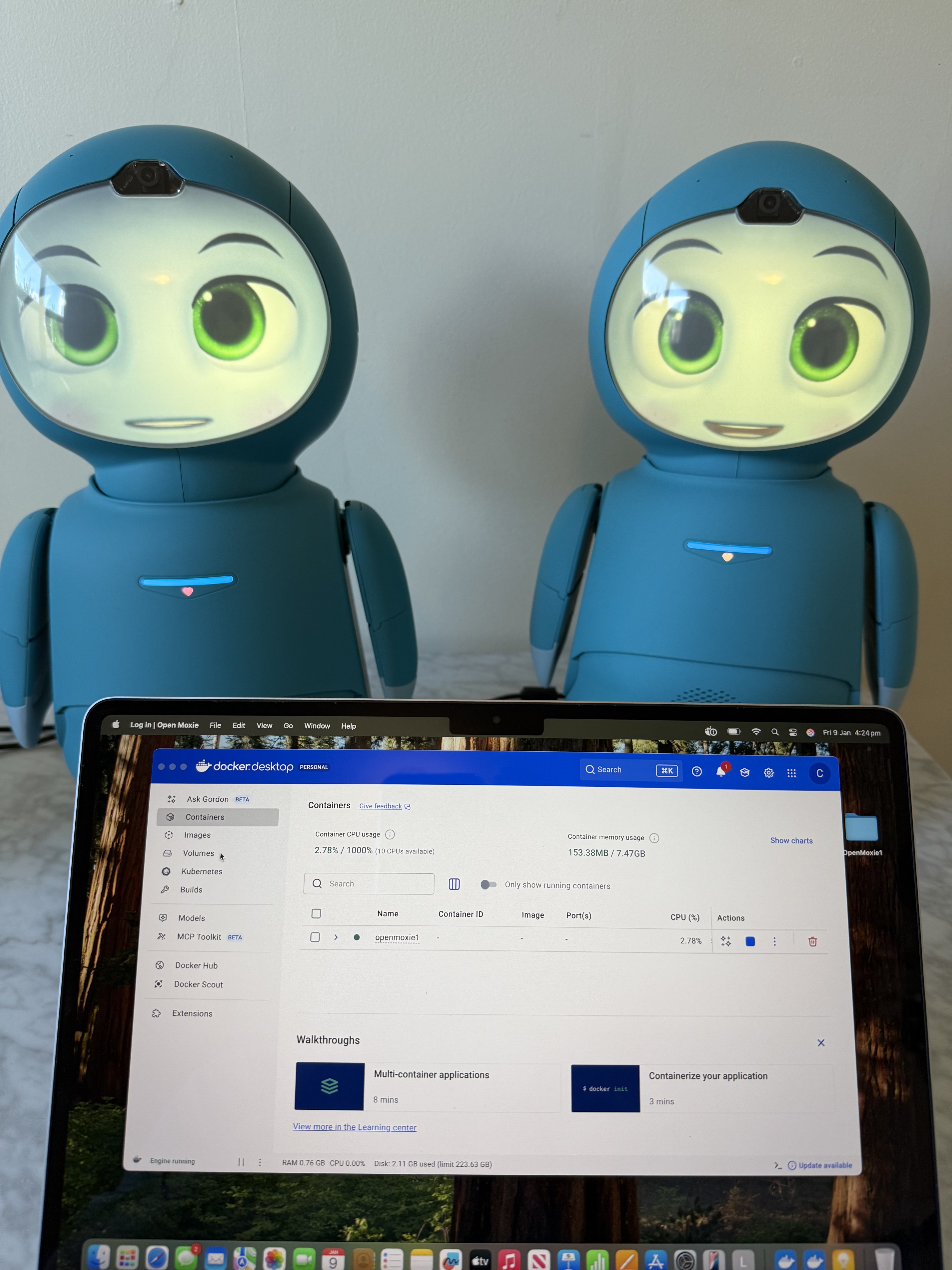
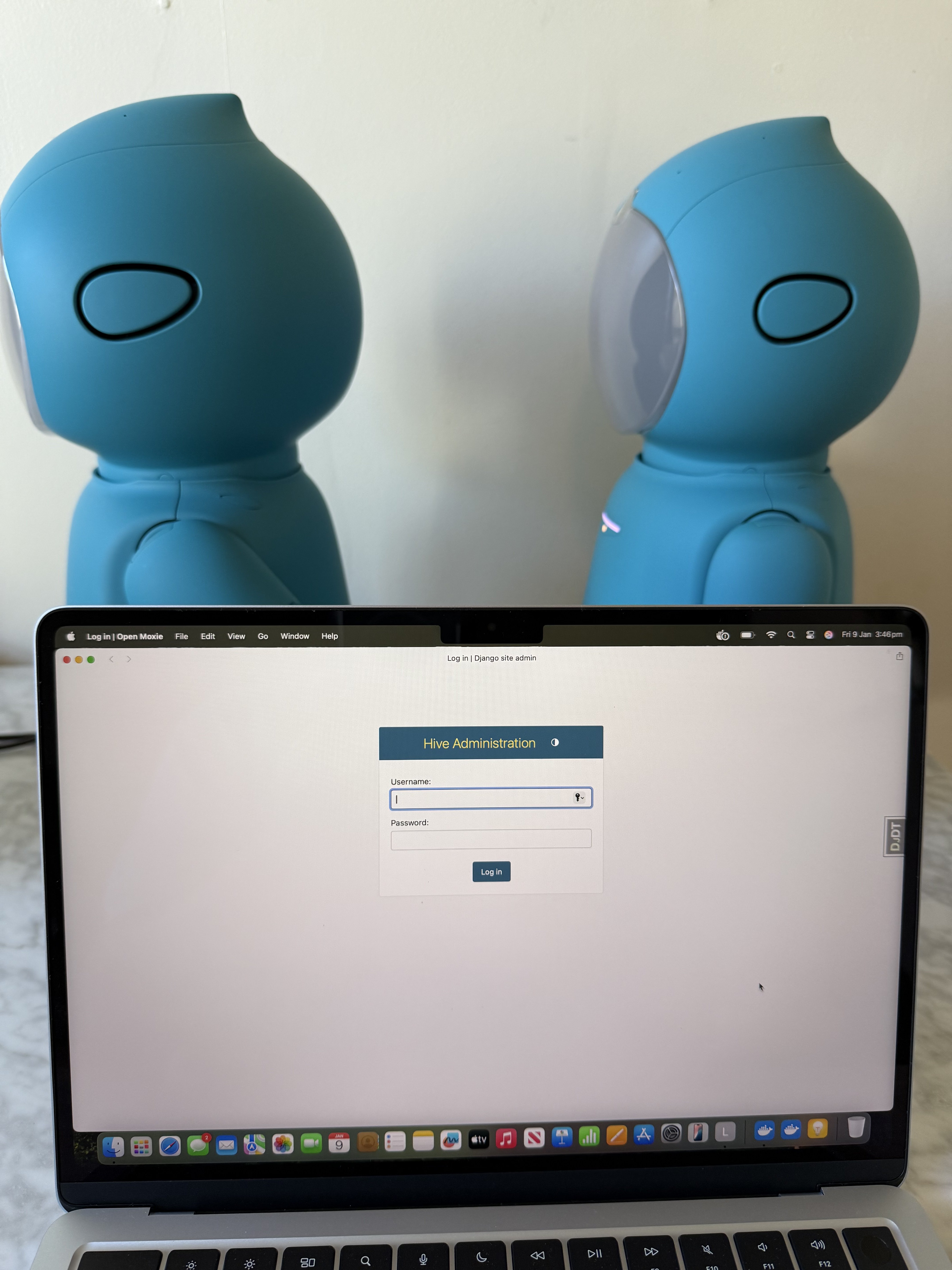
Step 2: Log in to the Open Moxie Hive Administration Django admin Panel. Important: You will need to open Docker and start the container by pressing the red arrow until a blue square appears before you can access the Open Moxie Hive Admin Log In page.
If you can’t find the Admin Log In page either find it here https://drive.google.com/file/d/1j2dHFS1kjvQgsZXAPOgw_SllETE0KJmO/view or here http://localhost:8001/hive
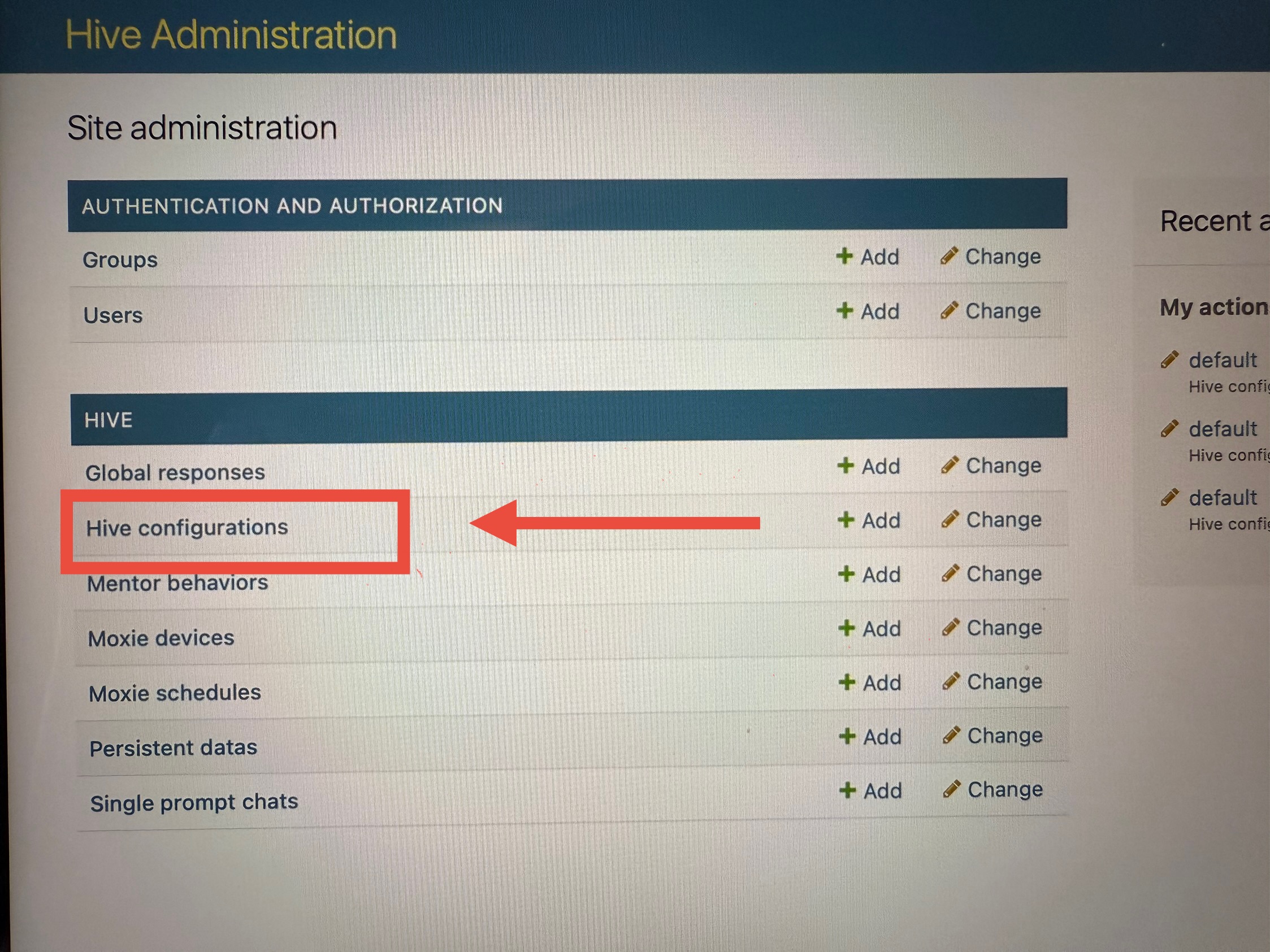
Step 3: Scroll down to Hive configurations on the left and click.
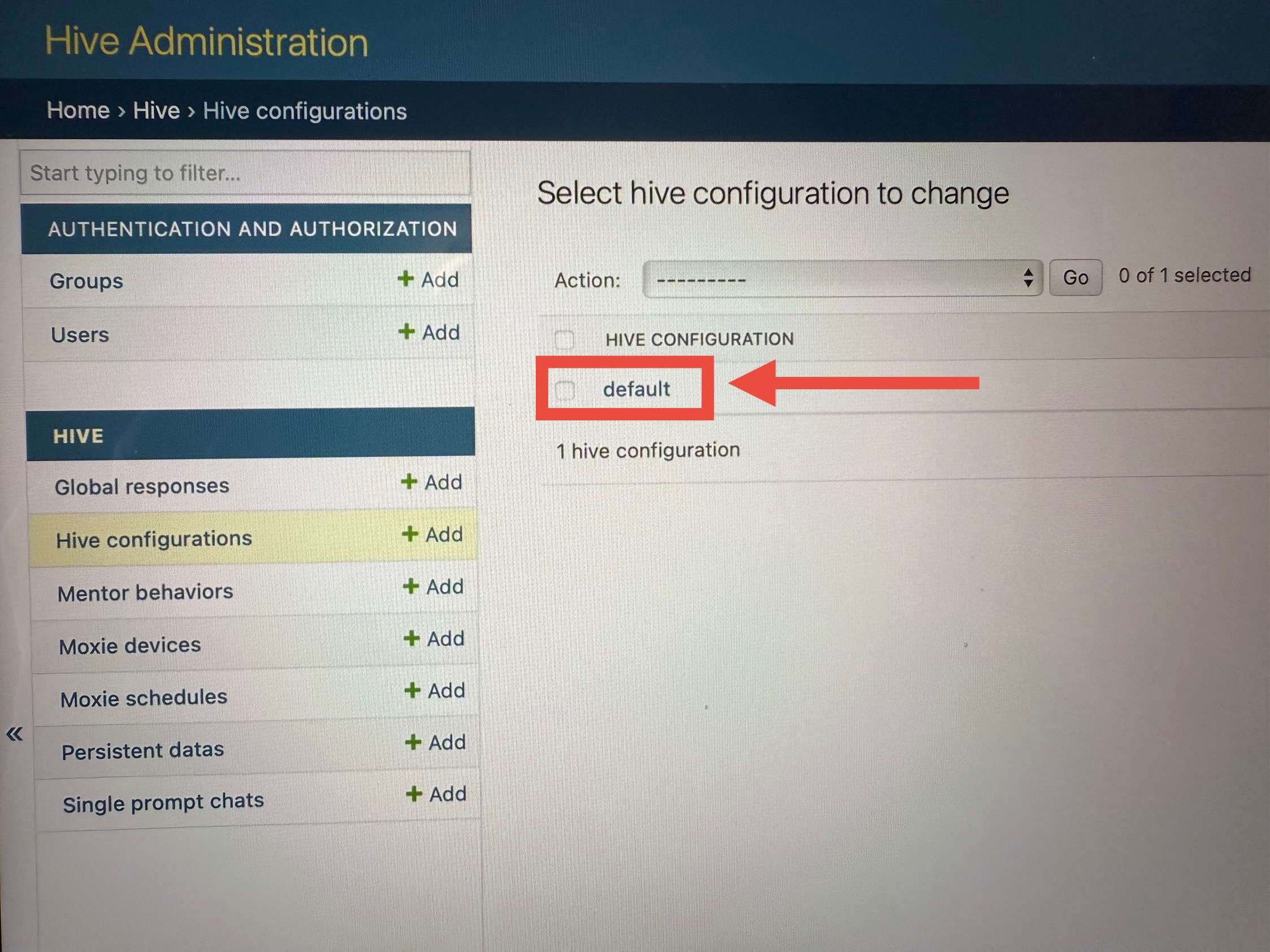
Step 4: A new window opens with the heading Select hive configuration to change. Scroll down and click on default.
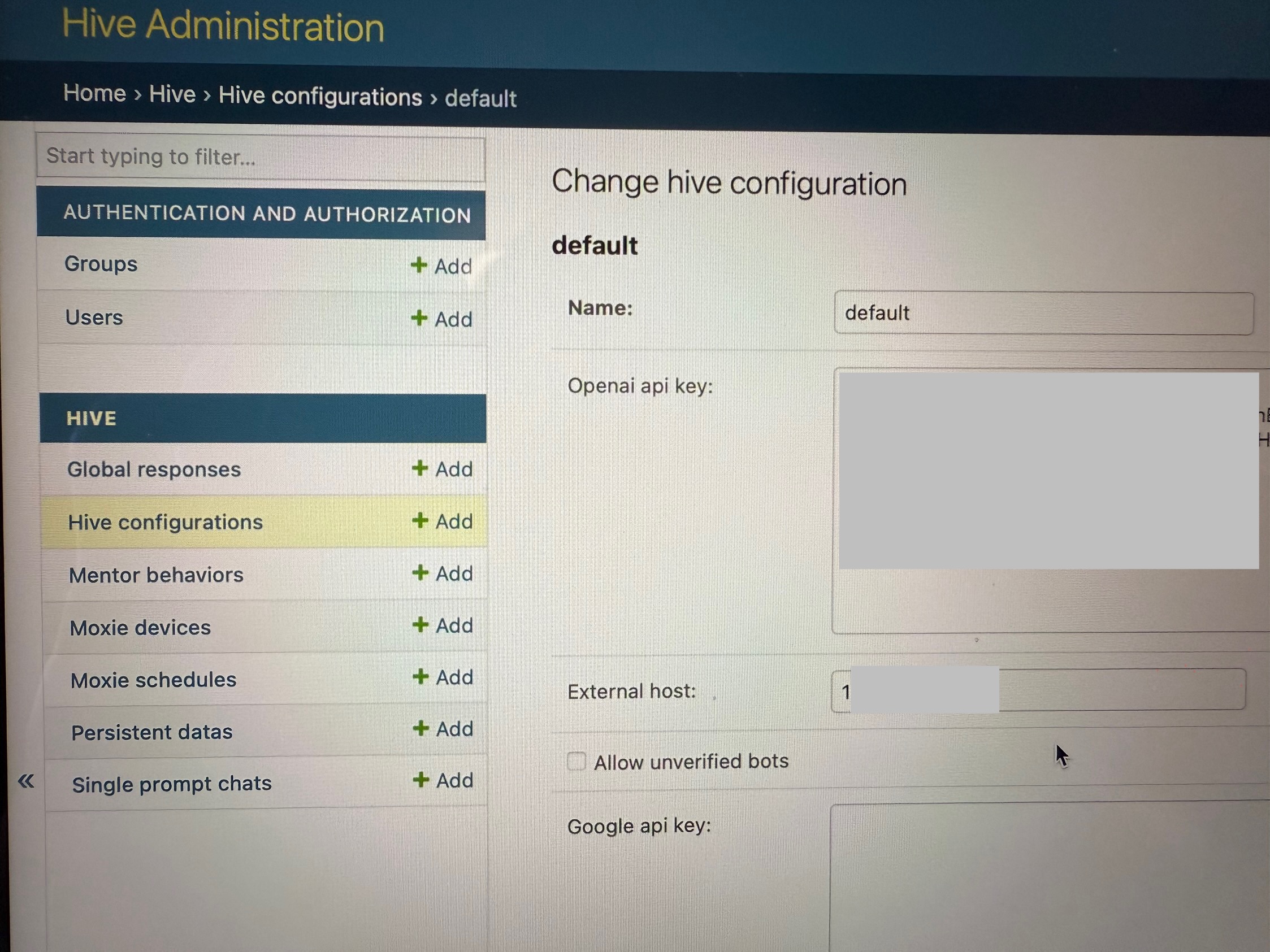
Step 5: A new window appears with heading Change hive configuration. Scroll down to External host and enter your computers new IP address in the box to the right.
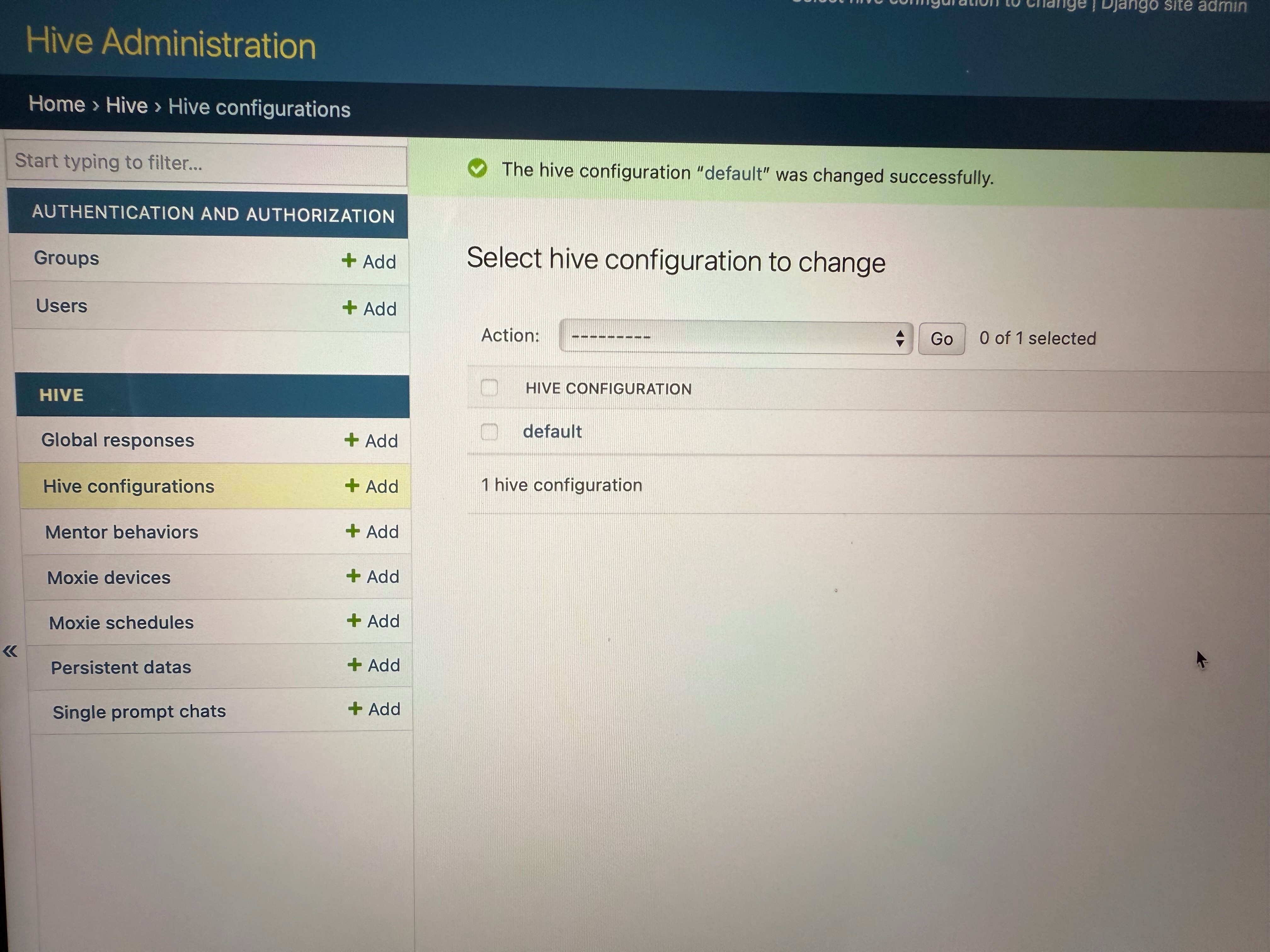
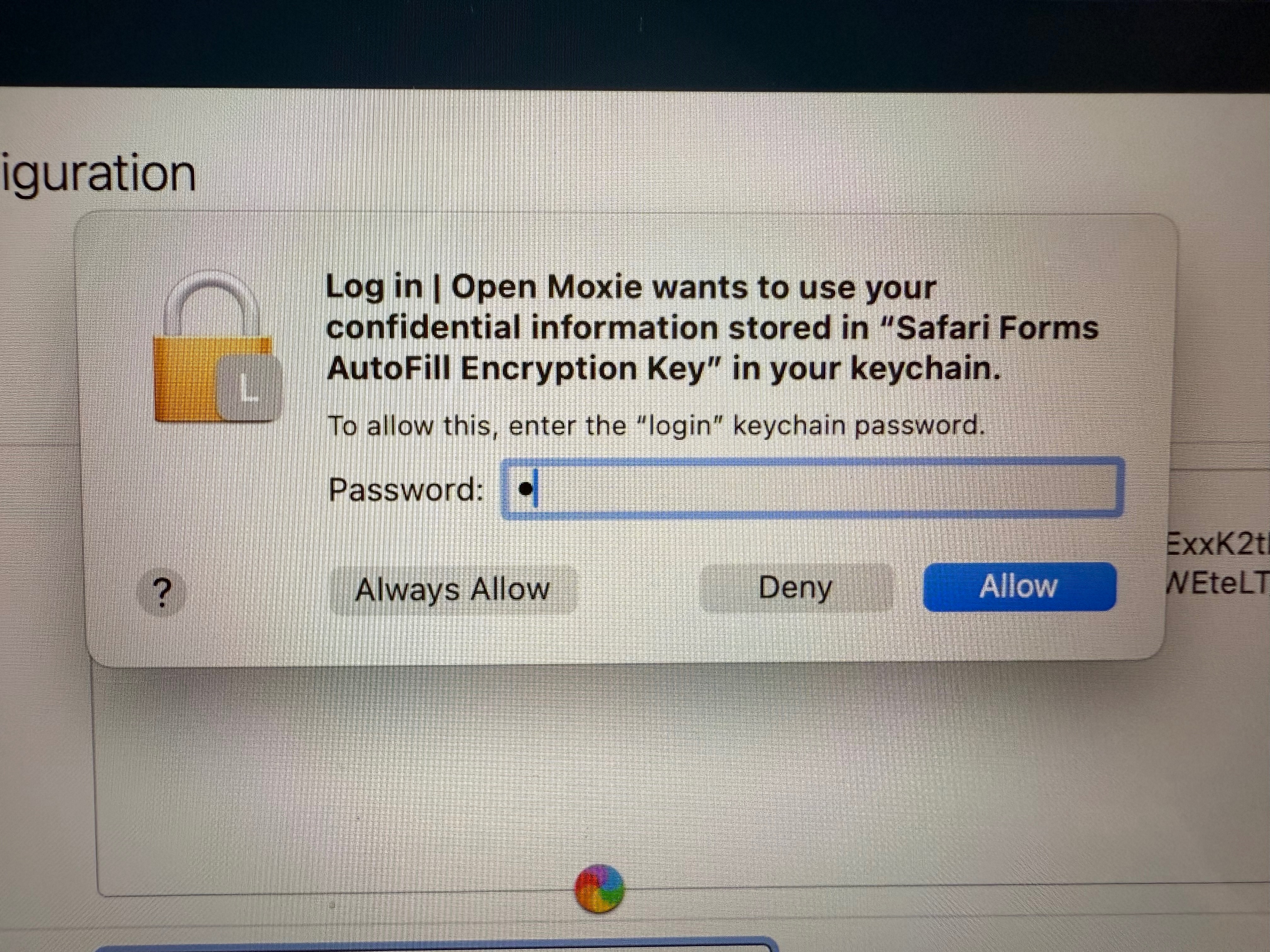
Step 6: Press enter. You will be taken back to the previous page and get a green notification letting you know the hive configuration default was updated successfully. If you get a pop up appear asking for confidential information for password autofill just hit deny.
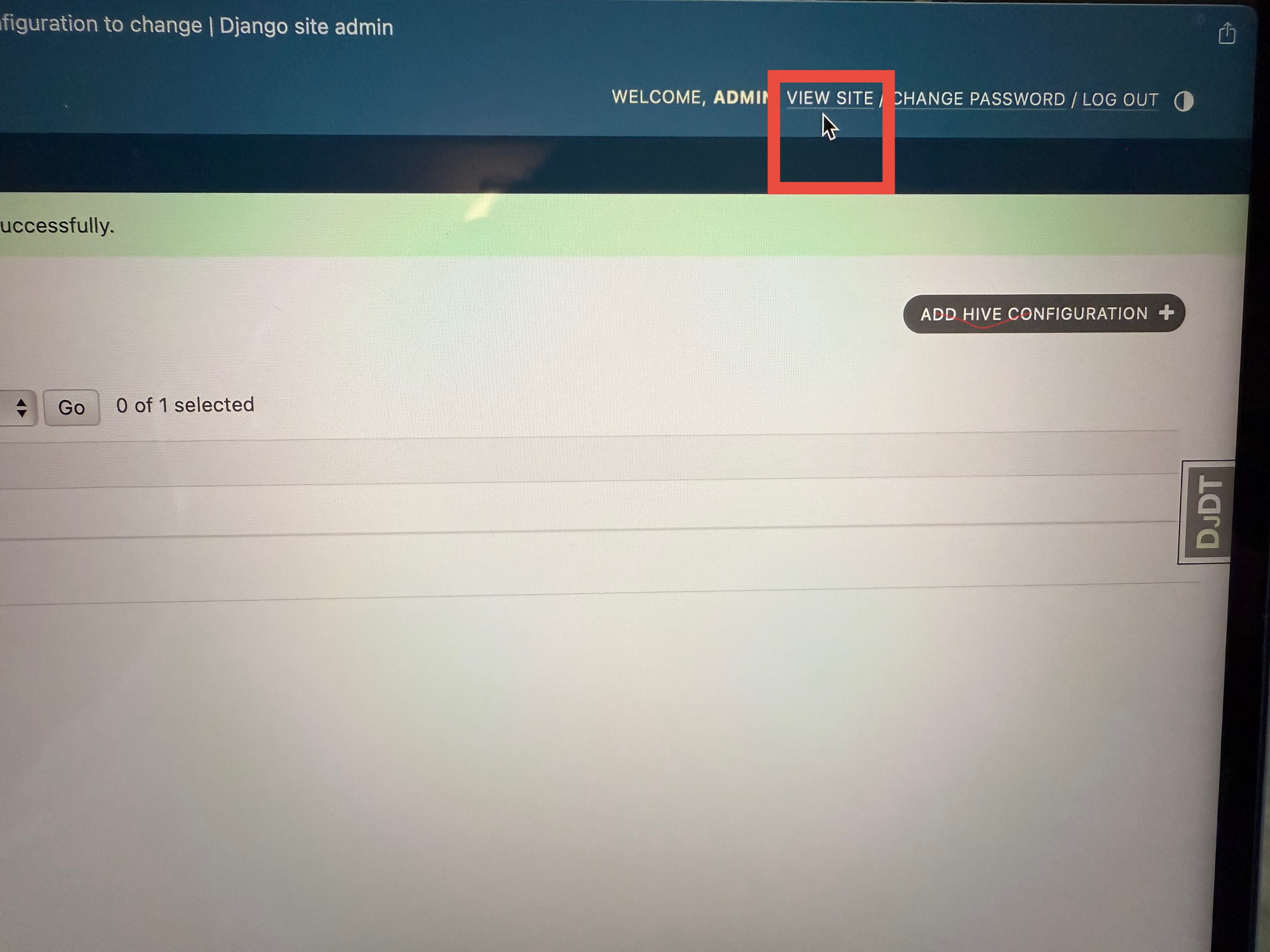
Step 7: Click on VIEW SITE to the top right.
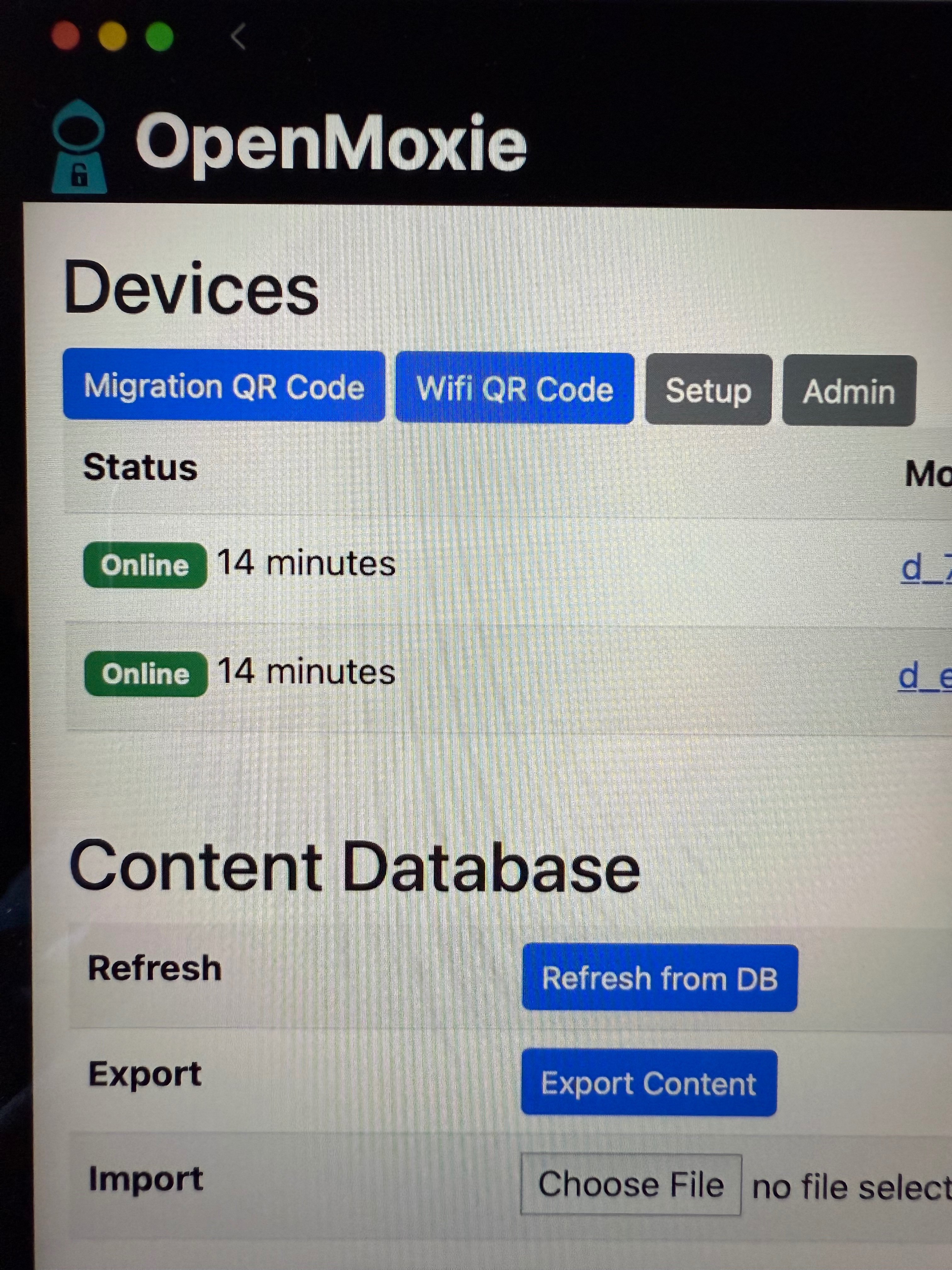
Step 8: The Open Moxie page will open. Click on Migration QR code to the top left.
Step 9: Show Moxie the QR code that appears on your computer screen. Ensure you have Docker running before you do this.
Step 10: Moxie should connect within 10 minutes. It can take some time. As long as the Embodied logo is spinning it should be connecting. If it defaults to a QR code then you might have to try checking your Wifi credentials on the Open Moxie page by going to Wifi QR Code.
Step 1: Find your computers IP address. For Apple follow these steps:
Find your MacBook’s IP address by using this pathway:
Apple menu top left > System Settings > Network > Wi-Fi > Details > Scroll down to IP address
For Windows follow these steps to find your computers IP address:
Step 2: Log in to the Open Moxie Hive Administration Django admin Panel. Important: You will need to open Docker and start the container by pressing the red arrow until a blue square appears before you can access the Open Moxie Hive Admin Log In page.
If you can’t find the Admin Log In page either find it here https://drive.google.com/file/d/1j2dHFS1kjvQgsZXAPOgw_SllETE0KJmO/view or here http://localhost:8001/hive
Step 3: Scroll down to Hive configurations on the left and click.
Step 4: A new window opens with the heading Select hive configuration to change. Scroll down and click on default.
Step 5: A new window appears with heading Change hive configuration. Scroll down to External host and enter your computers new IP address in the box to the right.
Step 6: Press enter. You will be taken back to the previous page and get a green notification letting you know the hive configuration default was updated successfully. If you get a pop up appear asking for confidential information for password autofill just hit deny.
Step 7: Click on VIEW SITE to the top right.
Step 8: The Open Moxie page will open. Click on Migration QR code to the top left.
Step 9: Show Moxie the QR code that appears on your computer screen. Ensure you have Docker running before you do this.
Step 10: Moxie should connect within 10 minutes. It can take some time. As long as the Embodied logo is spinning it should be connecting. If it defaults to a QR code then you might have to try checking your Wifi credentials on the Open Moxie page by going to Wifi QR Code.