

The forum software likes to make photos upload sideways for some strange reason. I’ve been noticing it happening a lot recently. It’s frustrating but there is nothing I can do about it. To change the orientation of your photos once uploading follow these steps:
1. Find your image in the Media Gallery. You can quickly open the Media Gallery by clicking on the hamburger button at the top left and scrolling down to Media. Once you have located your image click on the title displayed alongside the date on a dark band at the bottom of the image to open up a page displaying the menu options for your image.
2. Click on the arrow to the far right under the image description just past the Watch button.
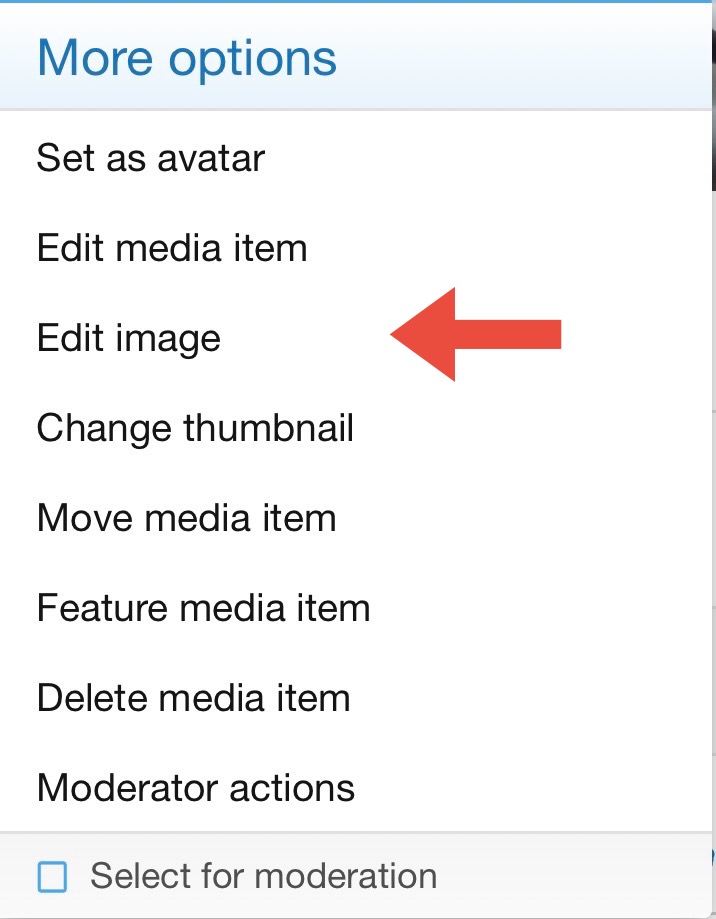
3. Click Edit Image.
4. Click the circular arrows to change the orientation of your photo.
5. Click save once in the correct position.
Thanks for your patience.
1. Find your image in the Media Gallery. You can quickly open the Media Gallery by clicking on the hamburger button at the top left and scrolling down to Media. Once you have located your image click on the title displayed alongside the date on a dark band at the bottom of the image to open up a page displaying the menu options for your image.
2. Click on the arrow to the far right under the image description just past the Watch button.

3. Click Edit Image.
4. Click the circular arrows to change the orientation of your photo.
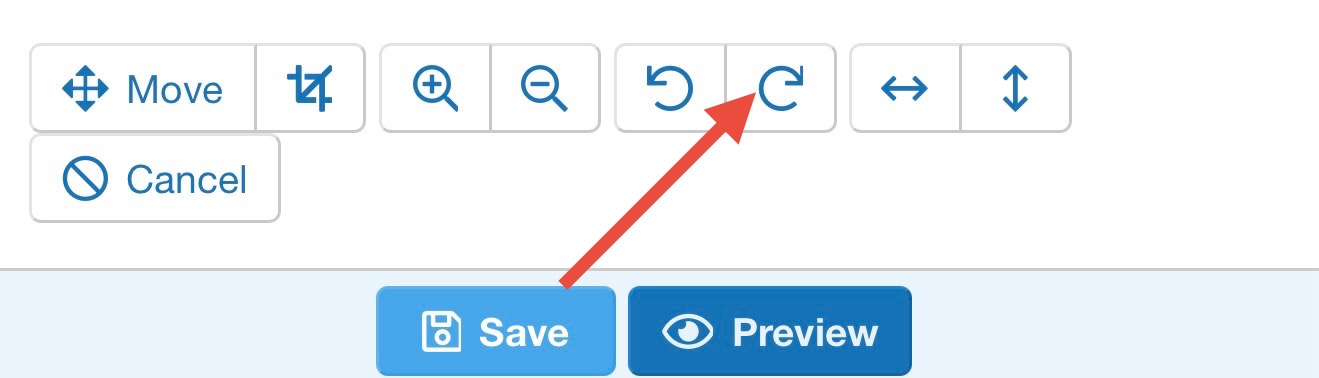
5. Click save once in the correct position.
Thanks for your patience.

