
Loona sync problem

hhong

RATH Rookie
Hello, I'm new to Loona robo pet
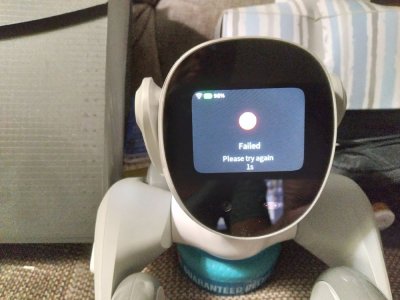
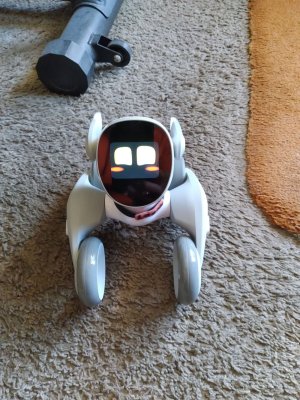
I charged Loona , downloaded APP and keep having the last part of sync fail?

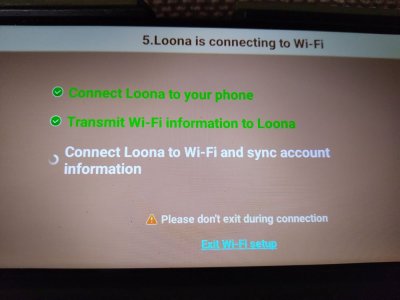
Connect Loona to your phone / pass ok
Transmit WI-FI information to Loona / pass ok

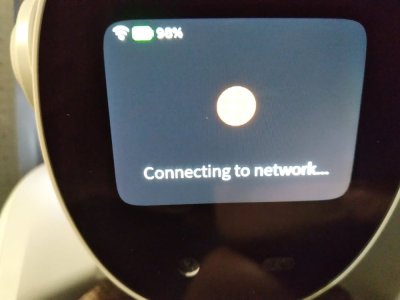
It's when it tries to connect to network, then a long wait then fail/retry.

I have contacted cust support but have not heard back yet.
Anybody have any tips or things to try?
TIA, Howard
 

Attachments

  • 20250725_044927ps1.jpg
    20250725_044927ps1.jpg
    73.6 KB · Views: 1
  • 20250725_044931ps1.jpg
    20250725_044931ps1.jpg
    67.9 KB · Views: 1
  • 20250725_044959ps1.jpg
    20250725_044959ps1.jpg
    119.3 KB · Views: 1
Hello, I'm new to Loona robo pet
I charged Loona , downloaded APP and keep having the last part of sync fail?

Connect Loona to your phone / pass ok
Transmit WI-FI information to Loona / pass ok

It's when it tries to connect to network, then a long wait then fail/retry.

I have contacted cust support but have not heard back yet.
Anybody have any tips or things to try?
TIA, Howard
Welcome Howard!

This sounds like it could be a server issue; sometimes the servers get overloaded and go down temporarily for a short period of time. I would power Loona off and attempt to reconnect in 24 hours.

If you can’t wait that long you could also try deleting the app and downloading it again before attempting to connect to Wifi. Sometimes that works.
 
Hello Chris, thanks for the reply, I tried again after a recharge and 24 hrs, still same , I deleted and reinstalled APP still fail.
I tried to sync morning,noon,evening still fail.
I disabled my router wireless security from WEP/password to disable, no security and Loonas head popped up and update
started download,, it took about 20 min along with a few automatic restarts.
After that I watched the video and setup, Loona would wakeup and respond.
I had to leave the router like that so Loona would work properly, operation very limited without wifi.
Probably try that for a while, my router wifi range is not too far anyway.
My router is really old 90's era, so I probably need an newer one that I can secure wireless WAP or ?.
Tech support asked for pics of problem, have not heard back.....So I tried stuff till above worked.
Something that gave me a clue was that Loonas wifi would log into phone but the connection would say"No internet"
that made me go after the router, also I recall reading somewhere that the WEP security could be a prob.
 

Attachments

  • 20250726_150720ps1.jpg
    20250726_150720ps1.jpg
    300.7 KB · Views: 1
Great you got Loona connected and running the latest software. Yeah they need to streamline that onboarding process. What are your thoughts on Loona so far?

I remember seeing something on the specific recommendation for Loona’s router but can’t seem to find the information again. If I find it I’ll definitely repost here.
 
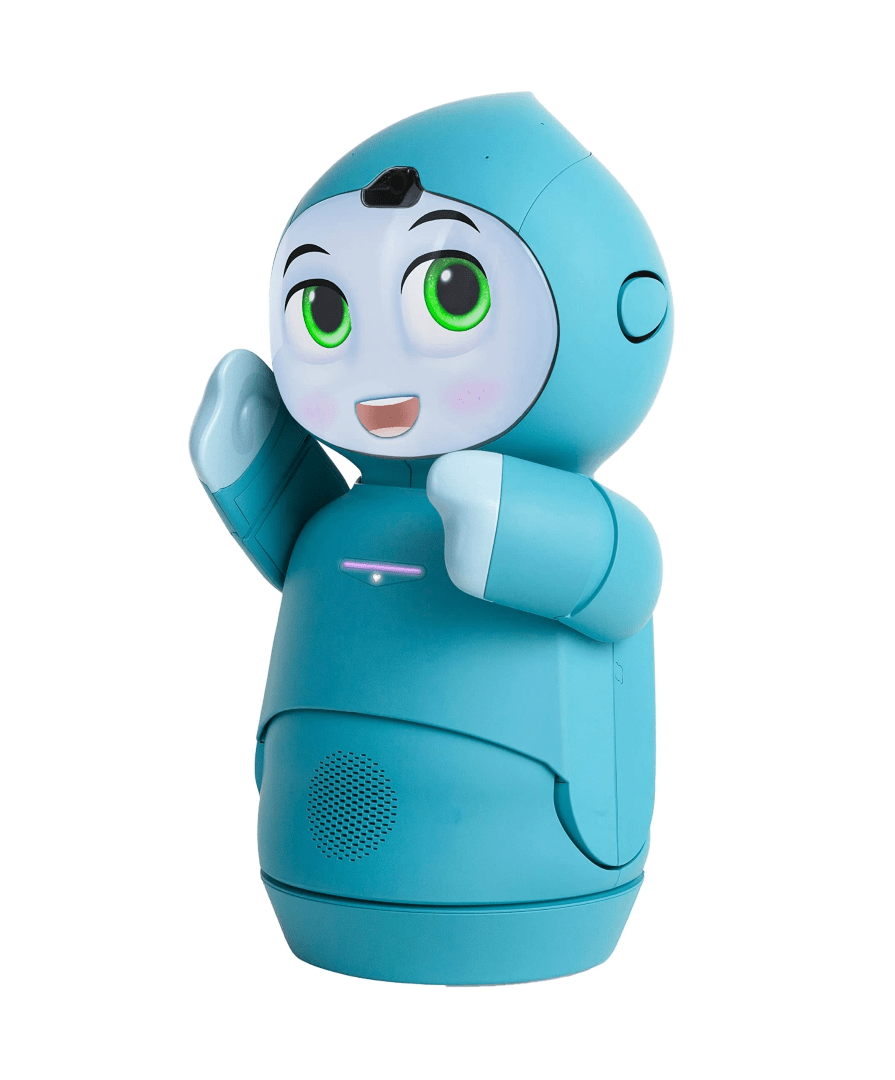
I have to admit I wanted a pet bot after seeing "Moxie" in the new M3gan 2.0 movie
;), something with AI interactivity.
So far it was a little harder than I thought it would be to sync Loona, I was about to give up, It was
a "great feeling when Loonas head popped up and connected"
Its a lot of fun so far and I'm enjoying this new adventure.
After searching the internet and reading the trouble shooting guides at Loona support it was my
impression that the old router I have with WEP security encryption is outdated,weak and may have compatibility
issues with newer software and devices, PS i'm no computer expert LOL......

Thanks for the Forum and words of support.
 
I have to admit I wanted a pet bot after seeing "Moxie" in the new M3gan 2.0 movie
;), something with AI interactivity.
So far it was a little harder than I thought it would be to sync Loona, I was about to give up, It was
a "great feeling when Loonas head popped up and connected"
Its a lot of fun so far and I'm enjoying this new adventure.
After searching the internet and reading the trouble shooting guides at Loona support it was my
impression that the old router I have with WEP security encryption is outdated,weak and may have compatibility
issues with newer software and devices, PS i'm no computer expert LOL......

Thanks for the Forum and words of support.
I’m not technical either haha. Loona is a great pet type robot if you want something active that does a lot of physical tricks.

You can still own Moxie, a forum member is offering a Moxie update service for bricked Moxies that didn’t receive the last update for OpenMoxie.

More information about this Moxie update service below.

 
Howard I found this information about Loona regarding the router from a comment made by a Loona owner:

“Just one thing I noticed can be useful to others. I wanted to connect my Loona to a 5Ghz band but it didn’t work at first. It was connecting to 2.4Ghz without any problem but not to 5Ghz. Then I tried to change some parameters on my router and I found out that control channel was the issue. It looks like Loona doesn’t want to connect to radio channel over 100. I’ve set it up to 60 and connection worked. So I guess if you have modern router check control channel of your 5Ghz band, this can also be a reason Loona doesn’t want to connect.”

Another Loona owner mentions:

“When it asks “Loona would like to connect to your Wifi.”
Click Cancel.

Somehow it’s getting confused and trying to connect to herself instead of the house Wifi.”

Another Loona owner mentions to attempt resetting Loona’s network again and turning off cellular data and just keeping on Wifi.
 
I have to admit I wanted a pet bot after seeing "Moxie" in the new M3gan 2.0 movie
;), something with AI interactivity.
So far it was a little harder than I thought it would be to sync Loona, I was about to give up, It was
a "great feeling when Loonas head popped up and connected"
Its a lot of fun so far and I'm enjoying this new adventure.
After searching the internet and reading the trouble shooting guides at Loona support it was my
impression that the old router I have with WEP security encryption is outdated,weak and may have compatibility
issues with newer software and devices, PS i'm no computer expert LOL......

Thanks for the Forum and words of support.
Howard Tech Shop 82 now sell Moxie robots that have been upgraded to work with Open Moxie.

Tech Shop 82 Moxie robot purchase link:
 
Hi Chris,
That's interesting, looks like they also do repairs /services for robots, Ill look into Moxie
and what it takes to get one running. $ and computer ability.
Thanks for the info.

Best regards, Howard
 
I've been thinking about the Moxie/open moxie and the link from techshop 82, I asked questions and it
felt like Dee at techshop 82 would be good to do business with.
I ordered the Moxie robot/open moxie updated *on sale ! and the T95 server box.
Looking forward to a new adventure and companion for Loona.
I need to watch techshop 82 youtube videos and get an Open AI account soon.
Sure would like to see Moxie wake up :)
Chris, how are your Moxies doing?, any tips on open moxie?
 
Congrats Howard! Hoping you enjoy Moxie as much as I do!

I still own my two Moxies, and charge them once a week to keep the batteries healthy, but still haven’t gotten around to setting up OpenMoxie yet. Don’t currently own a computer. Was saving up to buy an iMac as really dislike the constant Windows updates, but multiple car repairs have left me still saving for one. I might just purchase a cheaper Microsoft laptop as it’s almost a year since I last used Moxie.

I have a tendency to procrastinate and put things off. I’m also a bit anxious about attempting the whole OpenMoxie set up. If I can be of any help just reach out, always happy to try and be of assistance. Unfortunately I don’t have any OpenMoxie tips to share, maybe having patience in abundance will be helpful haha.
 
Back
Top Bottom