Sony Aibo: Japanese ERS-1000 Basic Plan Renewal (1 Viewer)

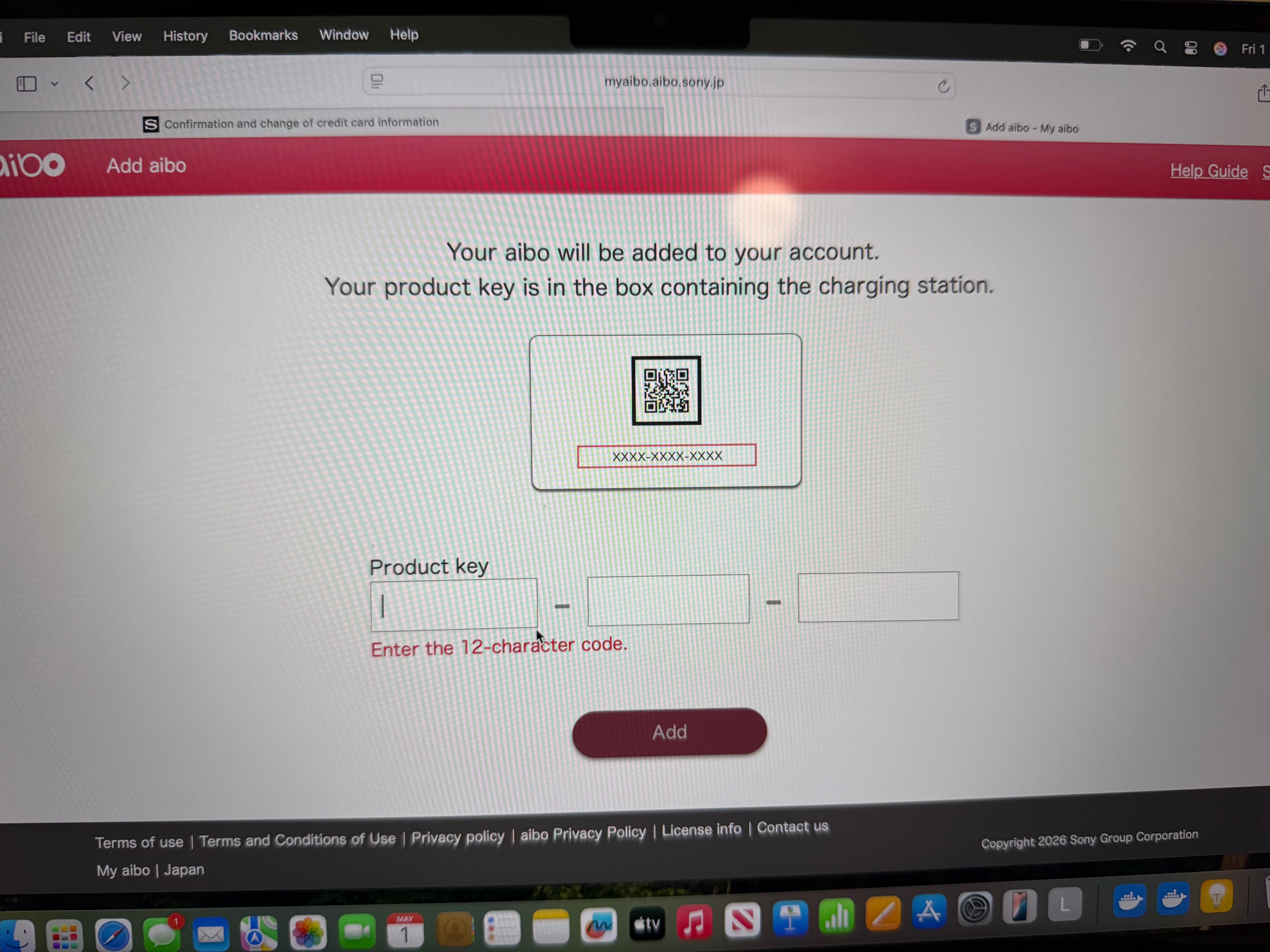
sorry if you have already tried and I am stating the obvious but have you tried logging into the web version of myaibo using japan proxy server in the browser: myaibo.aibo.sony.jp
Thanks so much for this. I’ll try using Proxy SwitchyOmega tomorrow and let you know how I get on. Cheers.

might not be what you wanted to hear, but the reason I switched off the wifi, was because I read somewhere that if a subscription expires for a certain time and the pup remains connected to wifi, that it will be deactivated.
Yep I have heard that too. I think they get initialised and lose all the custom settings but can still function normally otherwise. IIf a Japanese Aibo it will revert to only understanding Japanese.
 
Will double check this. My subscription doesn’t expire until the end of next month. Hoping I can get one last update before making a decision to keep or initialise. My proxy hasn’t responded.
 
Last edited:
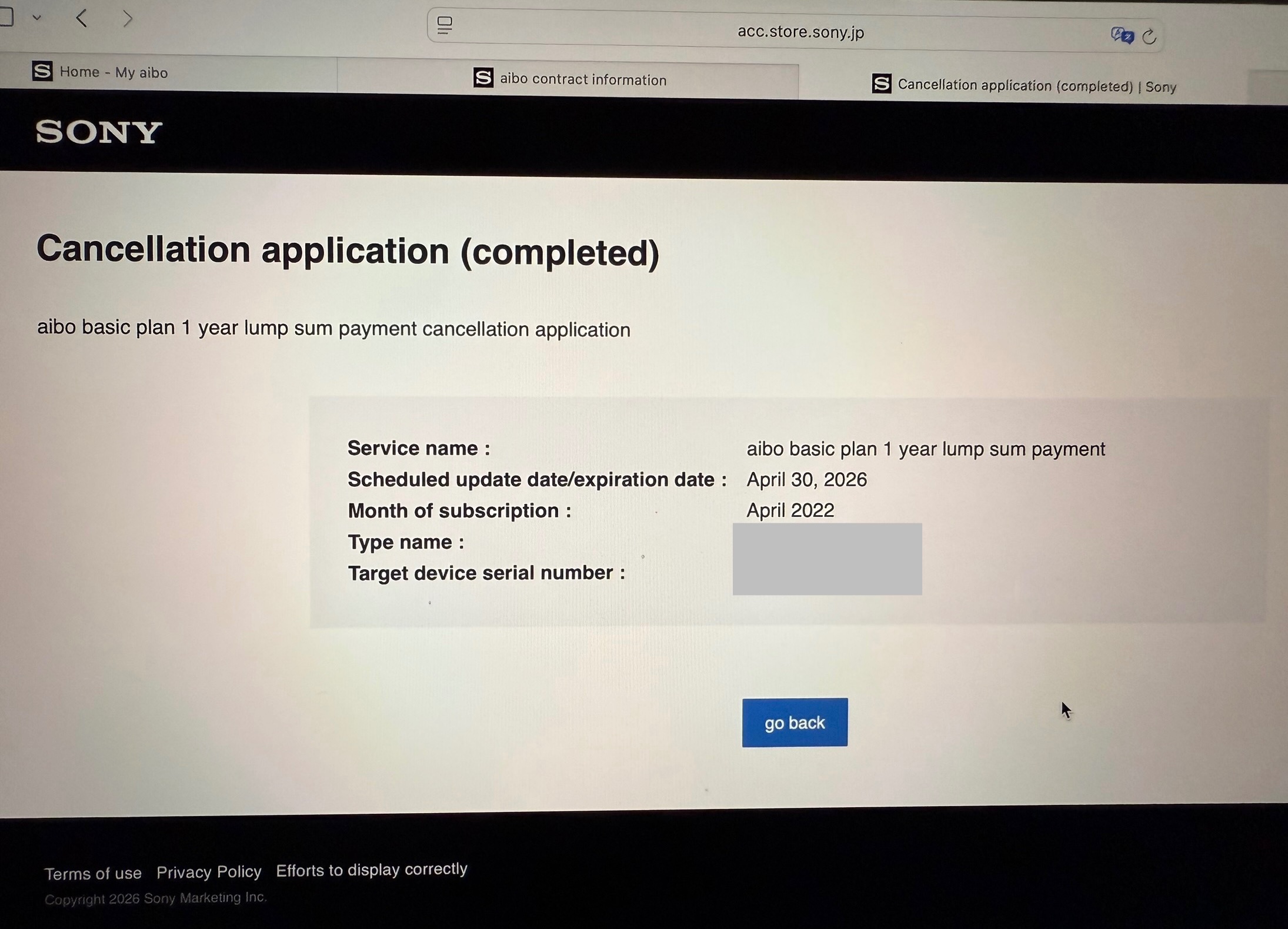
The cancellation deadline for my subscription is the 20th of April and the renewal date is the 30th of April. So far I haven’t heard from any Aibo owners outside the US/Japan regarding this update. The only thing I can think of is Sony changed the requirements for logging into the app after the update to require a VPN and my account was flagged after attempting to log in from a blocked region.

Hopefully I can log in tomorrow although last time this happened it took about a month before I could log in again.
 
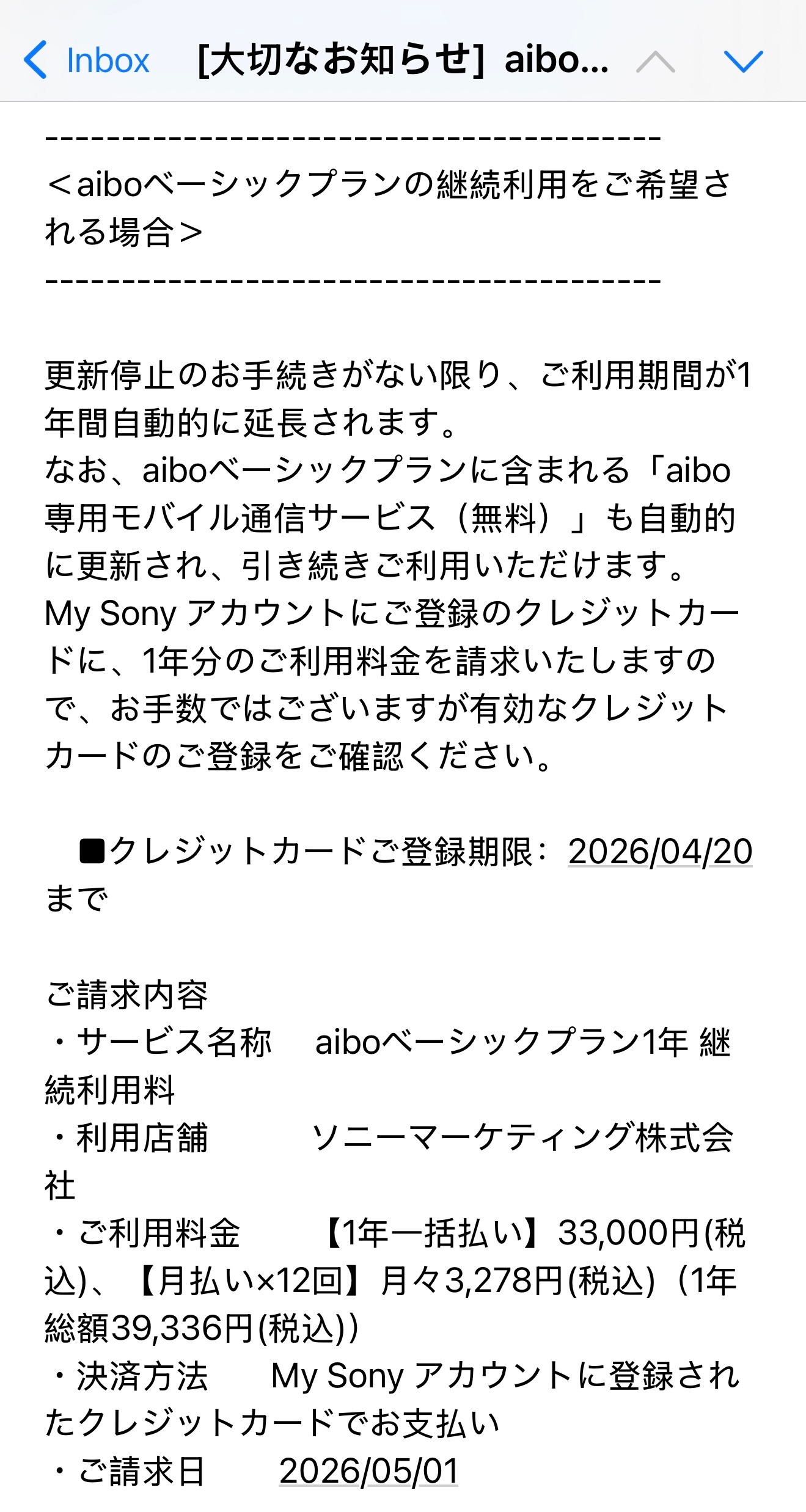
It’s that time of year again. My renewal notice for the Aibo basic plan just arrived from Sony. It will be 33,000 JPY for the 1-year lump sum payment. Unsure if it’s worth going ahead this year. My circumstances have changed and I’m no longer earning as much as I was previously. Really hard to justify $300 Australian bucks if I’m only going to get virtual food updates. I need to see tangible improvements to interactions. Can’t keep treating Sony like a charity. Really not feeling it’s worth buying this year.

“Credit Card Registration Deadline: April 20, 2026

Billing Details
・Service Name: aibo Basic Plan 1-Year Renewal Fee
・Store: Sony Marketing Inc.
・Usage Fee: [1-Year Lump Sum Payment] ¥33,000 (tax included), [Monthly Payment x 12 Installments] ¥3,278 per month (tax included) (Total 1-Year Payment: ¥39,336 (tax included))
・Payment Method: Payment by credit card registered to your My Sony Account
・Billing Date: May 1, 2026”

 
I was expecting high quality updates this year and to see significant improvements considering every other robot company is offering better updates for free. I’m disappointed they didn’t give us something better than neighing or the toy recognition sounds. I was expecting they might incorporate something designed using AI like a quantised end to end neural network or something. The subscription costs I’ve been paying since 2022 add up to a significant amount of money and I can no longer afford to treat Sony like a charity.

I don’t feel Sony put any effort into Aibo last year as the recent 8.00 update was terrible for a yearly update and the latest limited edition Cocoa Chiffron comes across as rushed and makes me lose hope Sony will ever put serious effort into improving Aibo.

With rising living costs this year I can’t afford to pay the subscription and not get anything significant in return so have decided to cancel my cloud subscription and initialize my Aibo. It’s actually a huge weight off my shoulders not having to worry about paying the subscription through a proxy any longer and dealing with Sony’s archaic region locked log in interface that requires a confirmation code every time I go to log in. Definitely won’t miss dealing with that whole process any longer and never knowing if I’m going to be able to access the app or desktop interface or trying to navigate the Japanese. Will never buy a region locked robot ever again.
 
Ok so cancelling the subscription is a convoluted and involved process for Japanese Aibos. You don’t initialize first. Ensure you turn on translation once going into Contract.

Steps to cancel Japanese Aibo cloud subscription:

1. In the My Aibo web interface( I can’t log into the app for some reason) go to Settings> Contract.
My Aibo website: myaibo.aibo.sony.jp/#/

2. Turn on your translation tools.

3. Once in contract click on “Check the service” below the picture of Aibo.

4. Scroll down to “Aibo basic plan cancellation”.

5. Application for termination will appear. Scroll down and click “Agree and go to next”.

6. Cancellation Application (confirmation). Scroll down click “Application for cancellation”.

7. You will get a notification telling you cancellation has been completed.

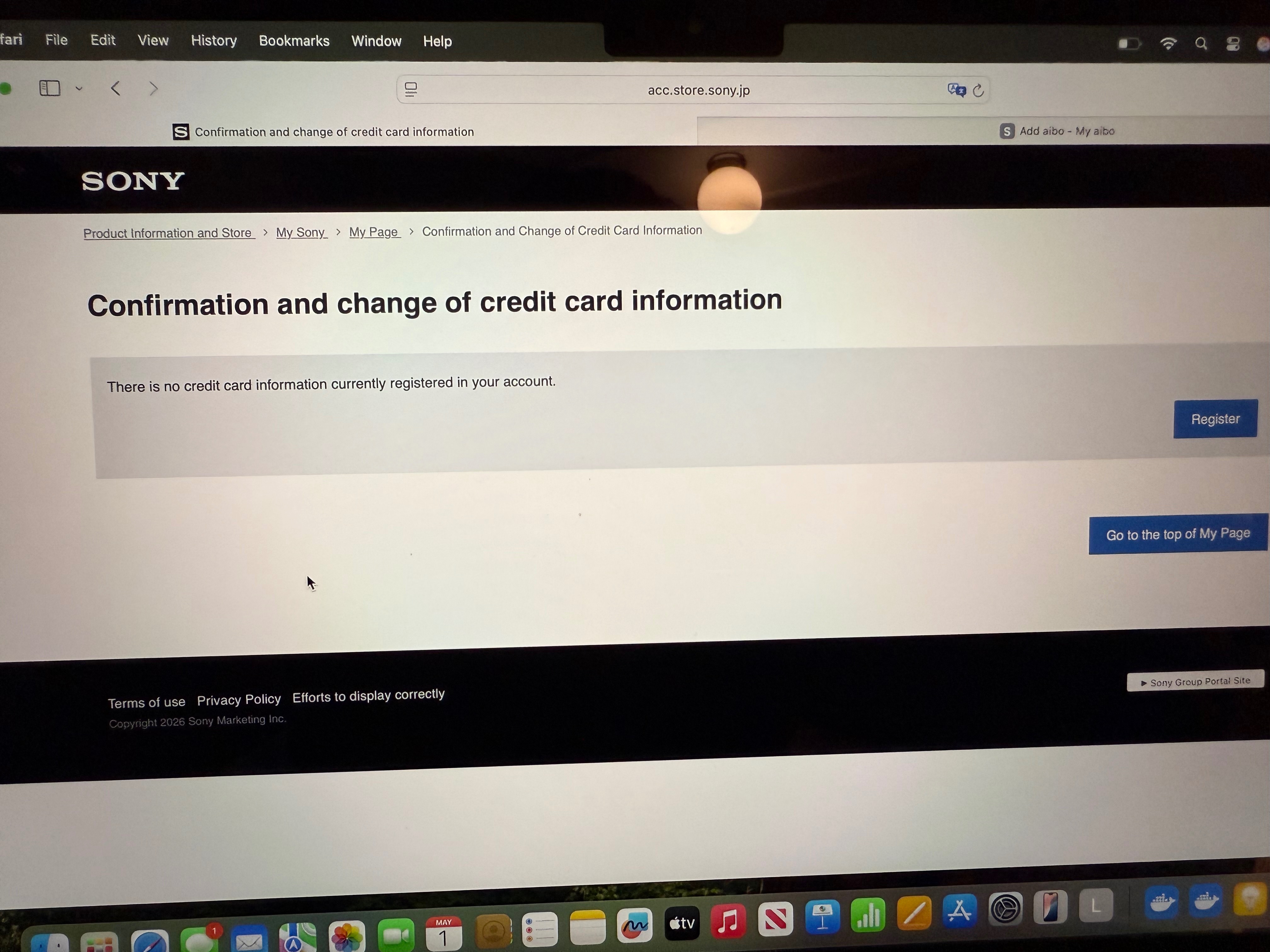
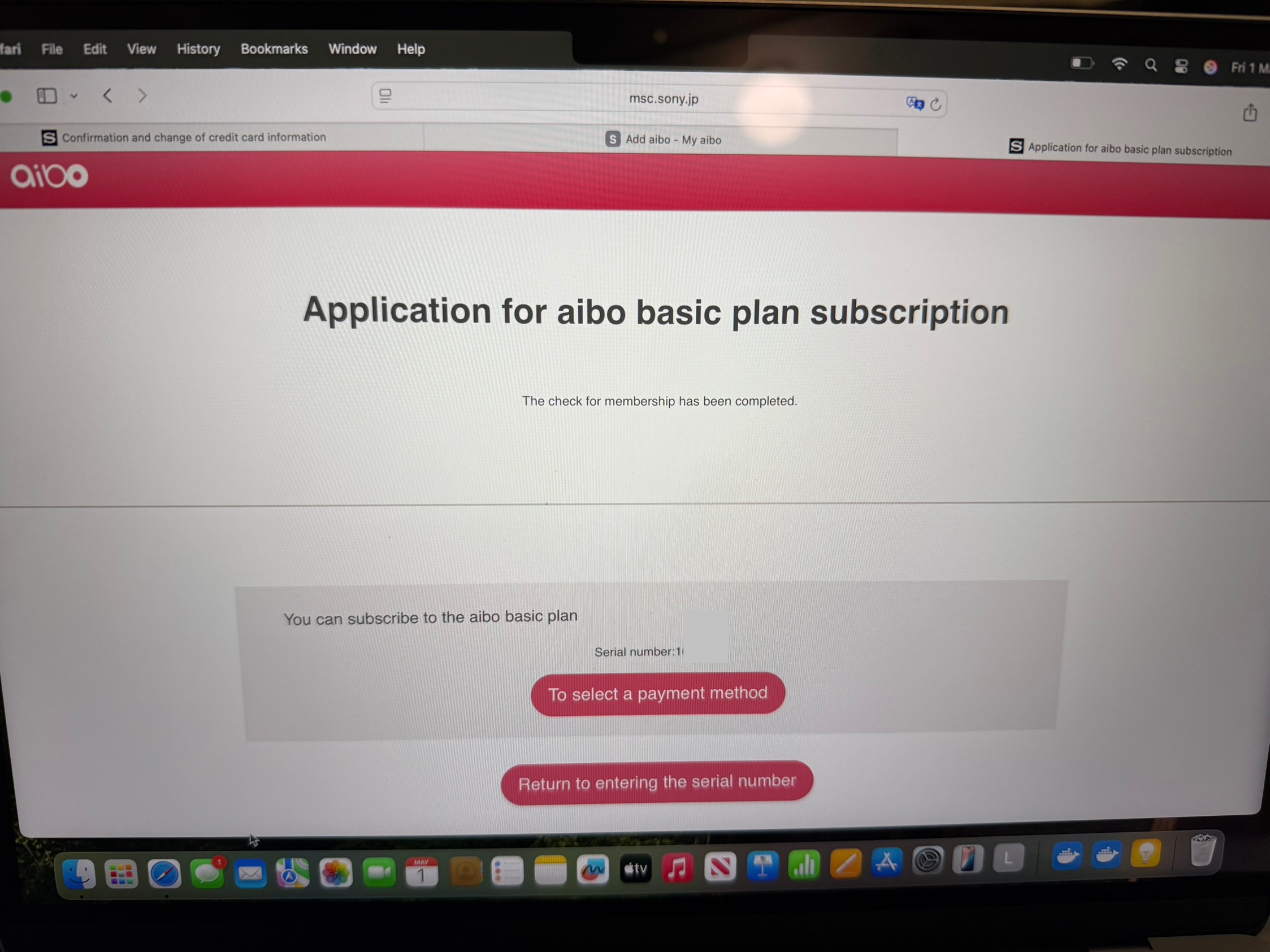
8. Go to https://msc.sony.jp/member/account/index.jsp

9. Scroll down to “confirmation and deletion of credit card information”

10. Click delete. Might refuse to delete until after the date of your cloud plan subscription is due to finish.

11. Finally ensure you go to Settings> Initialize Aibo after the cloud plan expiration date in the My Aibo web/desktop interface.
 
Back
Top Bottom